Comprehensive Review of Smart Wi-Fi Plugs - Over 30 Models Tested and Compared
Essential Smart Home Components - In-Depth Guide to Choosing the Best Smart Wi-Fi Plugs
Als Amazon-Partner erhalten wir bei qualifizierten Käufen eine Provision
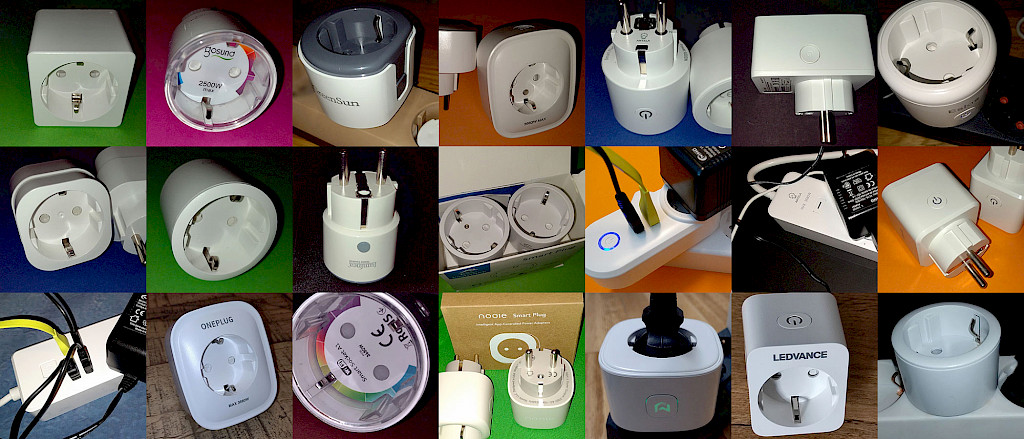
21 WLAN Steckdosen aus unserem Testbericht.
table of contents
- What are Wi-Fi Smart Plugs?
- What is the best Wi-Fi smart plug for me?
- Wi-Fi Plug-in Adapters - Smart Plugs for Wall Outlets
- Comparing All Smart Sockets with Power Measurement from Our Tests
- Smarte Steckdose mit Verbrauchsmessung - Empfehlungen
- All Smart Sockets without Power Measurement from Our Test
- Our Recommendations in the Area of Smart Sockets without Power Measurement
- Outdoor Wi-Fi Smart Sockets
- Wi-Fi Power Strips - Smart Multi-Device Control
- Alle WLAN Steckerleisten aus unseren Tests
- Wi-Fi Sockets for Mini Photovoltaic Systems and Balcony Solar Power Plants
- Smart Wall-Mounted Sockets for a Professional Smart Home Setup
- Apps for Smart Socket Control
- Smartphone App Features for Wi-Fi Smart Sockets
- Frequently asked questions on this topic
Als Amazon-Partner erhalten wir bei qualifizierten Käufen eine Provision
What are Wi-Fi Smart Plugs?
Smart Plugs, also known as Wi-Fi outlets, are versatile devices that can typically be programmed to automate and control various appliances within your home. These intelligent sockets allow you to create schedules, initiate countdown timers, and establish routines for added convenience and energy efficiency. For instance, a Wi-Fi smart plug can be set to automatically turn off when a specific room temperature is reached or surpassed, as reported by a connected smart thermostat or thermometer.
Wi-Fi smart plugs come in various price ranges and designs, including plug-in adapters, multi-outlet power strips, outdoor outlets, and built-in or flush-mounted sockets. Simple Wi-Fi outlets can be found for as low as 10 euros, making them an excellent entry point for those new to smart home technology or a valuable addition for existing smart home systems.
In this comprehensive guide, we'll delve deeper into the different types of smart outlets available on the market, providing you with a detailed overview of each tested device. Our aim is to help you make informed decisions when selecting the best Wi-Fi smart plugs to enhance your home's connectivity and automation capabilities.
The bestsellers in the "Smart & Remote Controlled Plugs" section at Amazon

Tapo P100 WLAN Smart Steckdose 4er Pack, Smart Home WiFi Steckdose, Alexa Zubehör, funktioniert mit Alexa, Google Home, App gesteuert, Sprachsteuerung, Fernzugriff, Kein Hub notwendig

Meross WLAN Steckdose 16A, Smart Steckdose Misst den Strommverbrauch, Stromzähler für Balkonkraftwerk, Smart Plug mit Fern- und Sprachsteuerung, Zeitschaltuhr, Kompatibel mit Alexa, Google Home, 4 St.

ANTELA WLAN Smart Steckdose, Stromverbrauch Messen, kompatibel mit Alexa und Google Home, Sprachsteuerung, APP Fernsteuerung, Zeitplan, 2,4GHz, 16A, 2 Stück
Als Amazon-Partner erhalten wir bei qualifizierten Käufen eine Provision
What is the best Wi-Fi smart plug for me?
To answer this question, you should first determine your specific requirements for the Wi-Fi smart plug. For instance, consider if you plan to use it only indoors or if you also need it for outdoor spaces like balconies or patios.
Consider the devices you want to control and the power requirements they have. Budget-friendly Wi-Fi smart plugs often have a maximum load capacity of 2000 watts, while higher-quality devices can handle 3000 watts or more. Many smart plugs also include built-in power monitoring, allowing you to track the energy consumption of connected devices. These smart sockets can even help you save on electricity costs. Most smart plugs are compatible with popular voice assistants like Amazon Alexa and Google Assistant, enabling convenient voice control. Sockets that support systems like Apple HomeKit, Samsung SmartThings, or similar are less common and generally come with a slightly higher price tag.
To help you address these considerations, we'll provide a detailed overview of various features and devices. Some questions to ask yourself when selecting the best Wi-Fi smart plug include:
- What is the maximum load capacity or power requirement I need?
- Do I need a smart plug with power monitoring or consumption tracking?
- Where will I be using my Wi-Fi smart plug: indoors or outdoors?
- Do I require voice control capabilities, and if so, is the device compatible with my existing system?
- Am I looking for a single outlet or a multi-outlet smart plug?
- Should I choose a smart plug-in adapter, smart power strip, or smart flush-mounted socket?
- Can a Wi-Fi smart plug help me save on electricity costs?
- Which app should I use for control, how do I install the corresponding app, and how do I add devices to the app?
By considering these factors and exploring the available options, you'll be better equipped to find the perfect Wi-Fi smart plug that meets your needs and enhances your smart home experience.
Wi-Fi Plug-in Adapters - Smart Plugs for Wall Outlets
The most common type of smart sockets are plug-in adapters that can be inserted into a standard wall outlet or a power strip. These devices come in various shapes and sizes, ranging from compact, round units that are barely larger than a standard plug, such as those from Ohmaxx, TP-Link, or Nous, to larger sockets like the Amazon Smart Plug.
You can connect a device to these plug-in adapters, and the Wi-Fi smart socket then controls whether the connected device receives power or not. In addition to turning devices on and off, Wi-Fi smart sockets also offer many other useful features.
One of the most apparent features of a smart socket is its connection to a smartphone app. Through the app, you can control and program the Wi-Fi socket. A detailed description of the programming features can be found later in the chapter "The Functions of the Smartphone App for the Wi-Fi Smart Socket."
Besides socket programming, one of the most helpful features of a smart plug is its ability to measure power consumption. This feature allows you to determine how much electricity the connected device is using, helping you save on energy costs. The app can then provide an evaluation of daily or monthly power consumption.
Another useful function is voice control. Most smart sockets can be controlled via voice commands. To use this feature, you'll need one of the increasingly popular voice assistants like Amazon Alexa, Google Home Assistant, or Apple's Siri. The voice assistant can then be connected to the smart sockets through a corresponding service.
We have already tested a significant portion of Wi-Fi smart sockets available on the market. In our article "Wi-Fi Smart Sockets with Power Measurement in Practical Tests," we've tested over 15 models, and under the tag "Wi-Fi Smart Socket without Consumption Measurement," you can find all the tests of models without power measurement.
By offering a comprehensive analysis of Wi-Fi smart sockets, their features, and practical tests, we aim to help you make an informed decision when choosing the best Wi-Fi smart plug for your needs, ultimately enhancing your smart home experience.
The smallest WiFi sockets at Amazon.de

Gosund SmartKit WLAN Smart Steckdose EP2, Kleinste Alexa Zubehör Plug App Fernbedienung, Stromverbrauch messen Sprachsteuerung Timer, Kompatibel mit Google Home, 2 Packs, Nur 2.4GHz WIFI

Alexa WLAN Steckdose - Smart plug mit stromverbrauch, stromzähler, zeitschaltuhr, überspannungsschutz, app fernsteurung. Zubehör für Amazon Echo, Google, Tuya Geräte, 2.4GHz - Nous A1
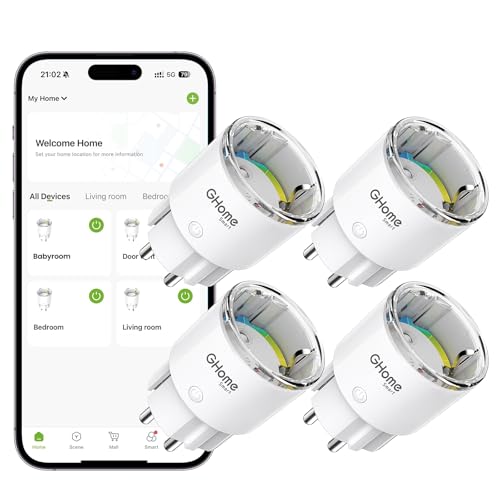
GHome Smart WLAN Steckdose, Kleinste Smart Home Steckdose mit Strommessung, App- und Sprachsteuerung, Funktioniert mit Alexa/Google Home, Zeitplan,TÜV-Zertifiziert, 10A, 4er Pack, Nur 2,4GHz WiFi
Als Amazon-Partner erhalten wir bei qualifizierten Käufen eine Provision
Comparing All Smart Sockets with Power Measurement from Our Tests
In summary, after conducting numerous tests on various smart socket models, it's safe to say that all devices perform their intended function well. So far, I've only had to return one Smart Plug to Amazon - one of the Antela models. However, this appears to be an exception, as the reviews on Amazon.de for this product are generally positive.
The primary differences among the tested Wi-Fi smart sockets lie in their size. Depending on where you plan to use the smart socket, this factor may have more or less influence on your purchasing decision.
Regarding power consumption, the differences between the devices are minimal, with all values being quite low, either below or just around 1 watt. Many of the smart wireless sockets can be integrated into either the Gosund or Smart Life app. Only a few models, such as the two test candidates from TP-Link and the Meross Smart Plug, require their dedicated app.
Power measurement works well for all tested models, although very low power levels, usually below 5 watts, may not be displayed. The purchase cost can vary considerably, ranging from approximately €10 to €20 per piece. However, none of the prices can be considered overpriced.
By offering a detailed comparison of all Wi-Fi smart sockets with power measurement from our tests, we aim to provide you with a comprehensive understanding of their features and performance. This information will help you make an informed decision when choosing the best smart socket to fit your needs and budget, ultimately enhancing your smart home experience and allowing you to optimize your energy consumption.
| TP-Link Tapo Nano P115 | Gosund Smart Plug EP2 (Ohmaxx) | Antela Smart Plug HS-Plug-2022 | EIGHTREE Smart Steckdose | Luminea Home Control WLAN Steckdose | TP-Link Tapo P110 Smart | Nooie Smart Plug NSP11 | Surfou WLAN Steckdose BSD48 | Usmart WLAN Smart Steckdose, Gosund SP112 | LEDVANCE SMART+ | Meross - MSS310 | ONEPLUG Smart SP1-D | Hama Advanced, Mini Plug | Eslas Smart WLAN Steckdose | GreenSun WLAN Steckdose | NOUS A1 WLAN Steckdose | ANTELA WG-08 |
| High quality and compact. Well-known and renowned manufacturer | Smallest WLAN socket in the test. Very reliable. | Gute Qualität und zuverlässig. | Kompakte Bauweise. Günstig und hochwertig. | Kompakt, umfangreiche Programmierungsfunktionen | Bekannter und renommierter Hersteller. Größer als die Tapo Nano P115 | Umfangreiche Funktionen, zuverlässig. | Preislich TOP. Umfangreiche Funktionen | Mit USB Anschlüssen. Stecker und USB getrennt schaltbar. Preiswert. | Simple App. Kompatibel zu anderen Apps. Kompakt. | Eigene App. Höherer Platzbedarf. | Guter Eigenverbrauch. Es gibt kleinere Geräte. | Kompakt, quadratisch. Solides Gesamtpaket. | Kleine Bauform. 1 Watt Eigenverbrauch. | Etwas groß. Gute Strommessung. | App ausbaufähig. Sehr kompakte Bauform. Geringer Eigenverbrauch. | Größeres Antela-Modell. Wirkt weniger hochwertig als der HS-Plug-2022 von Antela. |
| Maximalleistung 3680 W, 16 A | Maximalleistung 2500 W, 10 A | Maximalleistung 4000 W, 16 A | Maximalleistung 2400 W, 10 A | Maximalleistung 3680 W, 16 A | Maximalleistung 3680 W, 16 A | Maximalleistung 10 A | Maximalleistung 16 A | Maximalleistung 3680 W, 16 A | Maximalleistung 2.300 W, 10 A | Maximalleistung 3840 W, 16 A | Maximalleistung 3680 W, 16 A | Maximalleistung 3680 W, 16 A | Maximalleistung 4400 W, 20 A | Maximalleistung 3750 W, 15 A | Maximalleistung 3680 W, 16 A | Maximalleistung 3680 W, 16 A |
| Stromverbrauch 0,6 W - 0,9 W | Stromverbrauch 0,3 W - 0,9 W | Stromverbrauch 0,4 W - 0,7 W | Stromverbrauch 0,4 W - 1,0 W | Stromverbrauch 0,3 W - 0,5 W | Stromverbrauch 0,4 W - 1,0 W | Stromverbrauch 0,4 W - 0,8 W | Stromverbrauch 0,2 W - 0,8 W | Stromverbrauch 0,4 W - 1,0 W | Stromverbrauch 1,0 W | Stromverbrauch 0,6 W - 1,1 W | Stromverbrauch 0,4 W - 0,8 W | Stromverbrauch 0,6 W - 1,0 W | Stromverbrauch 0,2 W - 1,0 W | Stromverbrauch 0,2 W - 0,4 W | Stromverbrauch 0,2 W - 0,4 W | Stromverbrauch - |
| Note 1,1 SEHR GUT | Note 1,2 SEHR GUT | Note 1,2 SEHR GUT | Note 1,2 SEHR GUT | Note 1,2 SEHR GUT | Note 1,2 SEHR GUT | Note 1,3 SEHR GUT | Note 1,3 SEHR GUT | Note 1,4 SEHR GUT | Note 1,4 SEHR GUT | Note 1,6 GUT | Note 1,6 GUT | Note 1,7 GUT | Note 1,8 GUT | Note 1,9 GUT | Note 2 GUT | Note 2 GUT |
| zum Testberich | zum Testberich | zum Testberich | zum Testberich | zum Testberich | zum Testberich | zum Testberich | zum Testberich | zum Testberich | zum Testberich | zum Testberich | zum Testberich | zum Testberich | zum Testberich | zum Testberich | zum Testberich | zum Testberich |
| bei Amazon.de | bei Amazon.de | bei Amazon.de | bei Amazon.de | bei Amazon.de | bei Amazon.de | bei Amazon.de | bei Amazon.de | bei Amazon.de | bei Amazon.de | bei Amazon.de | bei Amazon.de | bei Amazon.de | bei Amazon.de | bei Amazon.de | bei Amazon.de | bei Amazon.de |
Our Top Recommendations for Smart Sockets with Power Measurement
After countless hours of testing and weeks of real-world use, we have evaluated 18 different models of smart sockets with power measurement. Based on our extensive testing, we can confidently recommend the following devices:
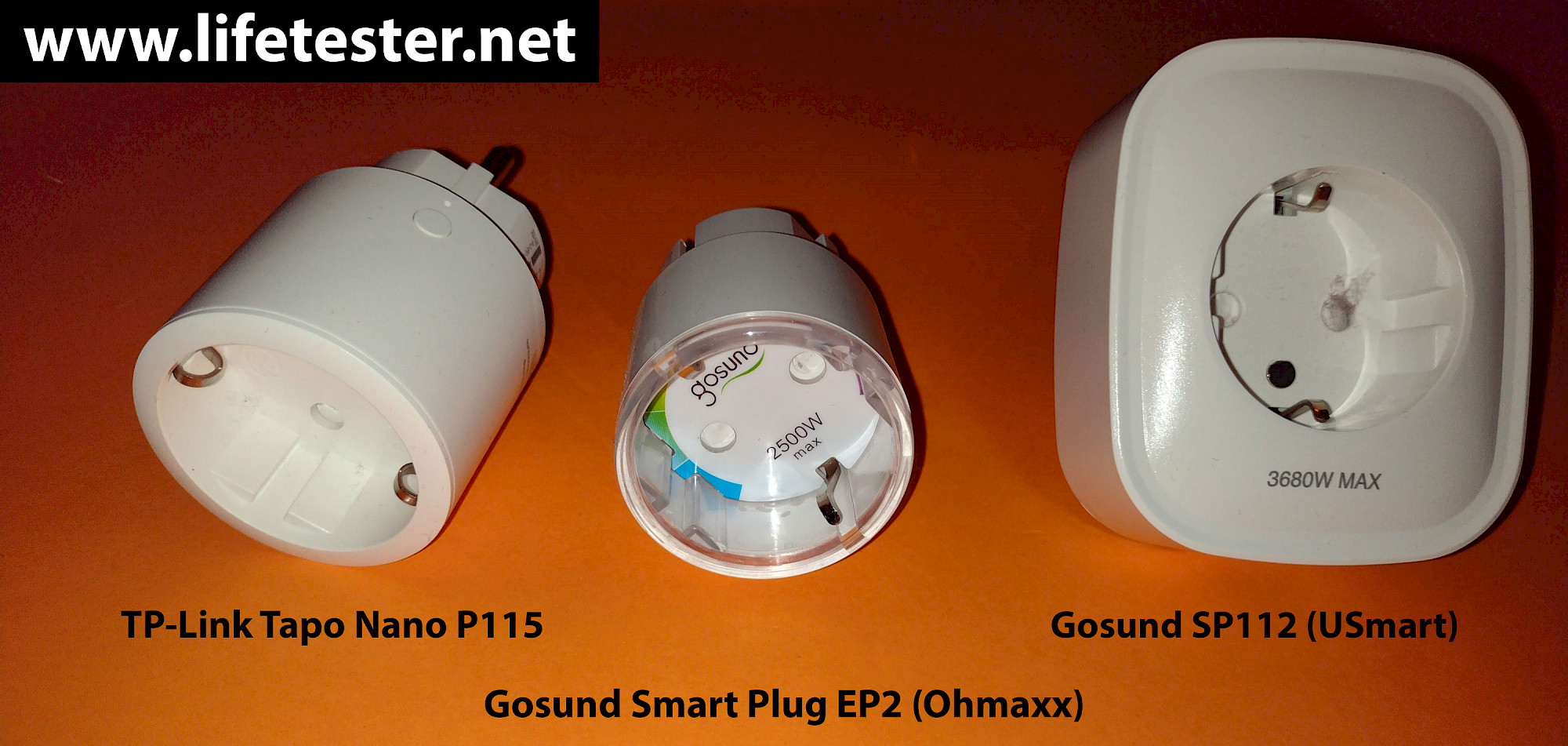
Our Test Winner: TP-Link's Tapo Nano P115 Smart Plug The Nano P115 is the smaller sibling (in terms of size) to TP-Link's Tapo Mini P110. It is one of the most compact Wi-Fi smart sockets in our test and on the market, impressing us with its high quality and reliable operation. The only criticism (as noted in the test report) is that it cannot be integrated into alternative apps but can only be used with the Tapo app. However, it can be connected to the Amazon Alexa app or the Google Home app afterward.
Our Best Value for Money Winner - Gosund Smart Plug EP2 The Gosund Smart Plug EP2, also available under the Ohmaxx brand on Amazon, is as compact as the Tapo P115 but slightly more affordable. It has the advantage of being compatible with various apps (Gosund, Smart Life, etc.), allowing it to be combined and controlled with smart devices from other manufacturers within a single app.
Need USB Ports? Gosund SP112 The Gosund SP112, available under the Usmart brand on Amazon, offers two additional USB ports that can also be smartly switched (both together). Understandably, the design of this model is somewhat larger. In terms of price, this model is also among the top contenders.
So far, all the tested devices have scored well, with results ranging from good to excellent. The differences between them are often minimal. For a comprehensive overview of all the Smart Wi-Fi Sockets we have tested, please refer to our detailed review.
By providing our top recommendations for smart sockets with power measurement, we aim to help you make an informed decision when selecting the ideal smart socket for your needs. Our detailed comparison and expert analysis will ensure that you are choosing a device that offers the best performance, features, and value for your money, ultimately enhancing your smart home experience and contributing to efficient energy management.
The three recommendations at Amazon

Tapo P115 Smart WLAN Steckdose mit Energieverbrauchskontrolle, funktioniert mit Alexa, Google Home, Sprachsteuerung, Fernzugriff, Kein Hub notwendig

OHMAX Smart WLAN Steckdose,Mini Smart Steckdose mit Stromverbrauch Messen Sprachsteuerung Timer,WiFi Steckdose Funktioniert mit Alexa Google Home,Alexa Steckdose TÜV-Zertifiziert,Nur 2.4GHz WiFi
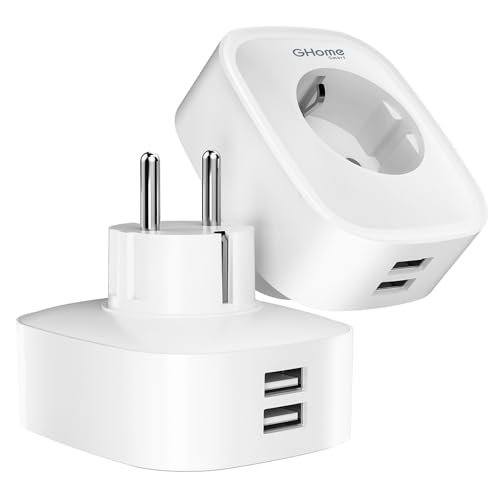
GHome Smart Steckdose mit USB, 16A 2er Pack misst den Stromverbrauch, WLAN Steckdose mit Fernsteuerung, Sprachsteuerung und Zeitschaltuhr, Funktioniert mit Alexa, Google Home
Als Amazon-Partner erhalten wir bei qualifizierten Käufen eine Provision
All Smart Sockets without Power Measurement from Our Test
When it comes to Wi-Fi smart sockets without power measurement, most of the same criteria apply as mentioned earlier. Here too, the primary differences lie in the design and price, with the Amazon Smart Plug being noticeably more expensive (€25) in this category. If you decide to opt for this model, it is advisable to wait for a promotional offer, as the Amazon Smart Plug is often available at a discount of at least 50%.
As with the smart sockets featuring power measurement, our comprehensive testing of Wi-Fi sockets without energy consumption monitoring has allowed us to identify key differences and similarities between various models. Design and pricing remain the primary factors to consider when choosing the right smart socket for your needs, especially if energy consumption monitoring is not a priority for you.
When evaluating smart sockets without power measurement, it's essential to focus on factors such as ease of installation, compatibility with popular voice assistants, and app functionality. Additionally, it's important to consider the socket's overall build quality and durability, as well as any unique features that may set it apart from its competitors.
In conclusion, our thorough testing of smart sockets without energy consumption monitoring has provided valuable insights into the strengths and weaknesses of various models. By considering design, pricing, and other critical factors, you can make an informed decision when selecting the ideal smart socket for your smart home setup. As always, our goal is to help you find the perfect device to enhance your smart home experience and ensure seamless integration with your existing devices and systems.
| Xiaomi Mi Smart Plug WiFi Steckdose | Amazon Smart Plug | Brennenstuhl Connect WA 3000 XS01 | AUELEK BSD31 mit 2 x USB | Unitec Smart Plug | Philips Hue Smart Plug | Moko YX-DE01 mit 2 x USB |
| Sehr hochwertig, edles Design | Direkt in Alexa App verwendbar. Nicht günstig. | Hochwertig, zuverlässige Schaltung | Schaltbare USB Anschlüsse. Benötigt Platz. | Kompakt, günstig, zuverlässig. | Nicht gerade billig. Direkt in Hue App. Renommierter Hersteller. | Günstig. USB-Anschlüsse. (nicht schaltbar) |
| Maximalleistung 3600 W, 16 A | Maximalleistung 2300 W, 10 A | Maximalleistung 3000 W, 13 A | Maximalleistung 16 A | Maximalleistung 2300 W, 10 A | Maximalleistung 2300 W, 10 A | Maximalleistung 10 A |
| Stromverbrauch 0,2 - 1-0 W | Stromverbrauch 0,8 W | Stromverbrauch 0,8 W - 1,1 W | Stromverbrauch 0,4 W - 0,8 W | Stromverbrauch 0,2 W - 0,8 W | Stromverbrauch 0,1 W - 1,0 W | Stromverbrauch 0,2 W - 1,0 W |
| Note 1,3 SEHR GUT | Note 1,3 SEHR GUT | Note 1,5 SEHR GUT | Note 1,5 SEHR GUT | Note 1,6 GUT | Note 1,9 GUT | Note 2 GUT |
| zum Testberich | zum Testberich | zum Testberich | zum Testberich | zum Testberich | zum Testberich | zum Testberich |
| bei Amazon.de | bei Amazon.de | bei Amazon.de | bei Amazon.de | bei Amazon.de | bei Amazon.de | bei Amazon.de |
Our Recommendations in the Area of Smart Sockets without Power Measurement
In reality, there aren't many reasons to choose a Wi-Fi smart socket without energy consumption monitoring. The only possible exception might be the integration into an existing system without the need for a separate app. Here are two examples that can be integrated directly into the Amazon Alexa ecosystem or the Philips Hue environment without the need for an additional app.
Amazon Smart Plug: Although it has a slightly larger design and a maximum load capacity of 2000 watts, the Amazon Smart Plug can be integrated into the Alexa app within moments. If you're looking for a smart socket that can be directly integrated into the Alexa app without any hassle, this option is definitely worth considering.
Philips Hue Smart Plug: This Wi-Fi smart socket from a well-known brand may not be the most affordable option, but it can be seamlessly integrated into an existing Philips Hue system. In terms of standby power consumption, the Philips Hue Smart Plug stands out with an impressive 0.1 watts, making it a top performer.
As you evaluate your options for smart sockets without energy consumption monitoring, it's essential to consider your specific needs and existing smart home systems. By choosing a device that seamlessly integrates into your current setup, you'll ensure a smooth user experience and make the most of your smart home investment.
In conclusion, while smart sockets without power measurement may not offer the same level of energy monitoring capabilities as their counterparts, they still provide value in certain situations. By focusing on seamless integration and compatibility with popular smart home systems like Amazon Alexa and Philips Hue, these devices can offer an easy-to-use solution for controlling and automating your home's electrical devices. Always consider your specific requirements and compatibility with your existing smart home setup when selecting the perfect smart socket without energy consumption monitoring.
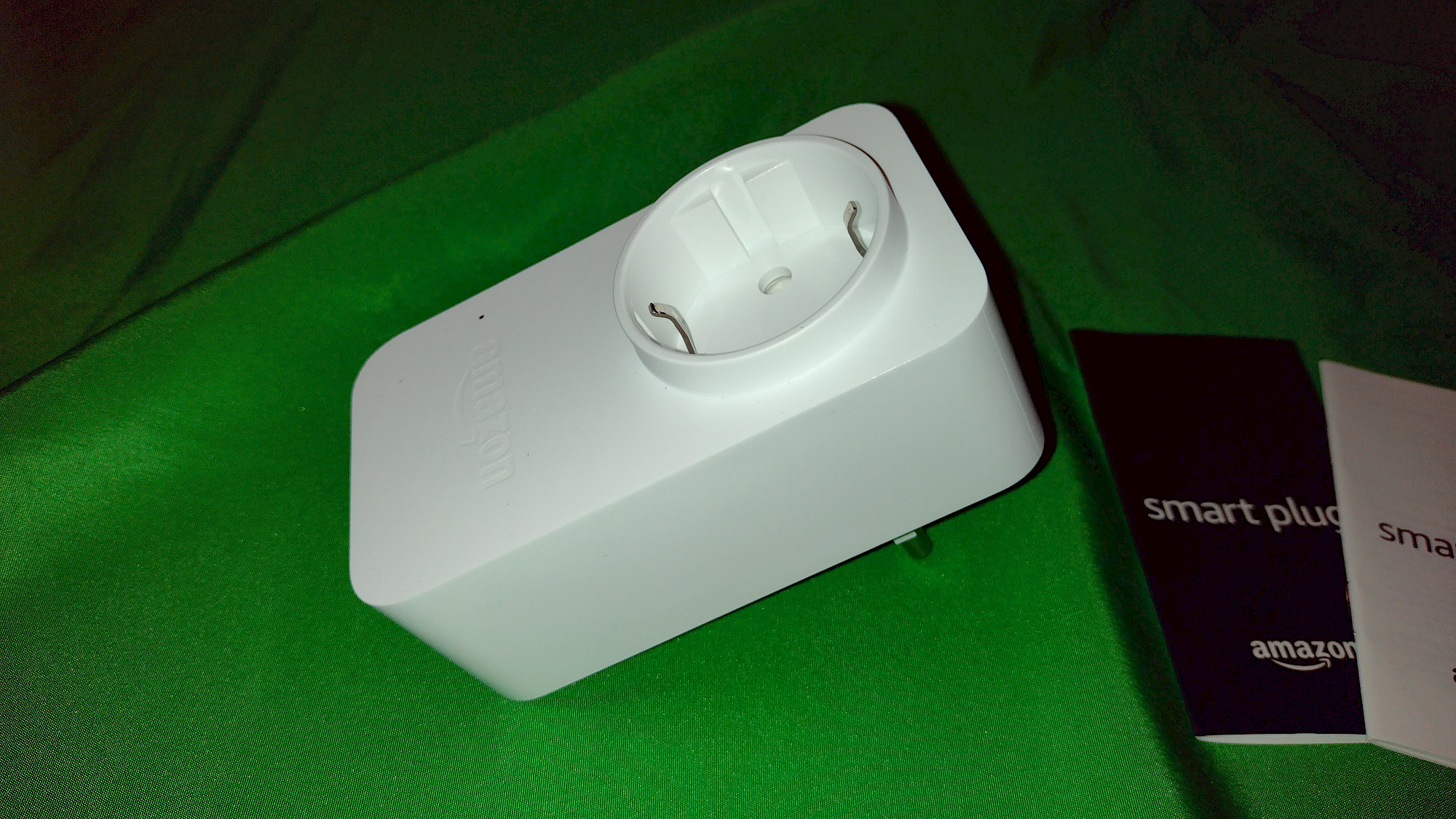
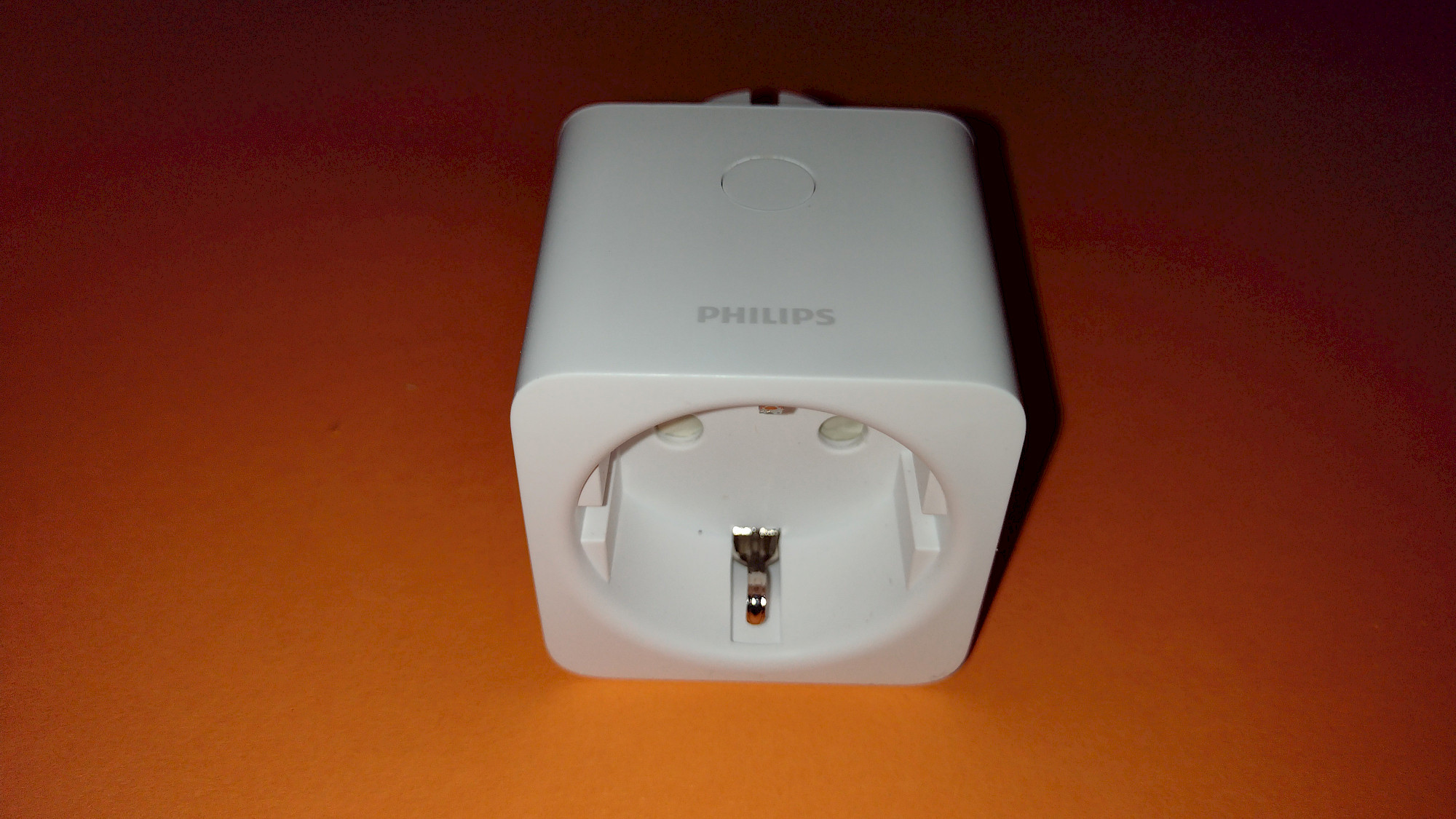
The two WLAN sockets at Amazon

Amazon Smart Plug (WLAN-Steckdose), funktioniert mit Alexa

Philips Hue Smart Plug für Hue Lichtsysteme, smarte Steckdose zur Steuerung von Leuchten, kompatibel zur Sprachsteuerung und per App von überall, weiß
Als Amazon-Partner erhalten wir bei qualifizierten Käufen eine Provision
Outdoor Wi-Fi Smart Sockets
If you require the practical functions of a smart socket on your balcony, terrace, or garden, it's advisable to opt for an outdoor Wi-Fi smart socket. These models are typically well-protected against splashing water, rain, and snow. However, complete immersion in water should still be avoided, even with these models. Therefore, it's recommended to use them in wall sockets rather than extension cords, which may pose a risk of ending up in a puddle or similar situation. Smart outdoor sockets usually have an IP44 protection class, meaning they are protected against solid objects with a diameter of ≥1.0mm and offer protection against splashing water from all directions (for more information on protection classes, refer to Wikipedia's definitions).
The primary application for outdoor Wi-Fi smart sockets is undoubtedly the time-controlled switching of outdoor lighting (such as Christmas lights), whether on a fixed schedule, randomly, or based on sunrise and sunset times. They can also be conveniently linked to motion sensors through routines or scenes.
There is a wide variety of designs available for outdoor Wi-Fi smart sockets. The most common is the simple plug-in adapter, which can be easily inserted into a suitable wall socket. Some models come as double sockets, typically with a short connecting cable that plugs into the wall socket. The range of Wi-Fi sockets in tower form (e.g., the 4-outlet socket from Royal Gardineer) or with a ground spike (e.g., the Brennenstuhl Connect WiFi Garden Socket) is considerably smaller. If you're looking for something unique, consider the BOLD smart outdoor garden socket in stone-look, which is designed to resemble a stone.
In this category, there are models with and without power measurement capabilities. However, we'll combine these two groups here for a comprehensive overview.
When choosing an outdoor Wi-Fi smart socket, it's crucial to consider factors such as protection from the elements, design, and compatibility with your existing smart home system. By evaluating these aspects, you can find the perfect solution for controlling and automating your outdoor electrical devices, whether you need to manage outdoor lighting or other appliances. As always, ensure that the smart socket you choose aligns with your specific requirements and seamlessly integrates with your smart home setup to maximize your investment and create a smooth user experience.
Smart outdoor WiFi sockets at Amazon.de

UCOMEN Wlan Steckdose Outdoor, TÜV-zertifiziert, Wlan aussensteckdose, Smart Life Steckdose Compatible with Tuya, Alexa and Google Home, Smart Life APP - 2 Pack

Refoss WLAN Outdoor Steckdose mit Alexa, Smart Home WiFi Aussensteckdose Wasserdicht, Fernbedienung Doppelsteckdose Außen, funktioniert mit Google Assistant, Refoss App, 16A, Schwarz

Brennenstuhl Connect WLAN Steckdose WA 3600 XS03 für außen IP44, WiFi Outdoor 2.4 GHz kompatibel mit Alexa und Google Assistant (Outdoorsteckdose)
Als Amazon-Partner erhalten wir bei qualifizierten Käufen eine Provision
Wi-Fi Power Strips - Smart Multi-Device Control
Do you want to control multiple devices through your smartphone? You can achieve this by purchasing several individual Wi-Fi smart sockets or by opting for a more straightforward solution - a Wi-Fi power strip. These multi-outlet power strips resemble standard power strips, but they are equipped with electronics that enable you to control each socket individually via your smartphone or voice commands.
Most smart power strips feature 3 or 4 individually controllable sockets. Almost all models on the market also include USB ports that can be controlled through an app or voice commands. However, there are exceptions, such as the Brennenstuhl Connect Eco-line WiFi Power Strip, which offers a total of 6 sockets, with 2 sockets permanently switched and the remaining 4 sockets controlled in pairs.
What should you specifically look for when purchasing a Wi-Fi power strip?
- Keep in mind that you'll connect multiple devices to a power strip, which can quickly push the total power consumption towards the strip's maximum load capacity. Pay close attention to the maximum switching capacity of the power strip, which usually ranges between 2000W and 4000W, depending on the model.
- Never combine smart power strips with other switchable sockets or daisy-chain them.
- Quality: Smart power strips are available from around $20 and up, but there can be significant differences in quality. Pay particular attention to the quality of the switches, whether they are mechanically or electronically operated, and look for relevant certifications.
- Power consumption of the power strip: Power strips typically consume slightly more power than Wi-Fi smart sockets in plug-in format. Nevertheless, research the power strip's standby power consumption before purchasing. You can find information on the standby power consumption for models we've tested in our reviews.
- Consider the arrangement of the sockets before purchasing. The larger the distance between the sockets, the more likely you'll encounter space issues with power adapters or plugs. A diagonal arrangement can also be helpful in this regard.
- Depending on the location of use, a specific cable length may be required.
Wi-Fi power strips are also available with power measurement or consumption monitoring capabilities. However, these typically only measure the overall consumption of the entire strip. If you need to measure or monitor the power consumption of individual devices, you may have to opt for separate Wi-Fi smart sockets.
Smart multi-outlet power strips also offer the ability to schedule time-based controls. Depending on the model and app, you can create schedules and countdown timers for individual sockets and possibly USB ports. We provide more in-depth information on specific control options in our individual reviews.
Additional features, such as surge protection and child safety, are standard for Wi-Fi power strips as well.
In summary, Wi-Fi power strips provide a convenient and efficient solution for controlling multiple devices through your smartphone or voice commands. By carefully considering factors such as maximum switching capacity, quality, power consumption, and socket arrangement, you can find the ideal Wi-Fi power strip for your needs. Don't forget to look for models with additional features like power measurement, surge protection, and child safety to ensure you're getting the most value and functionality from your purchase.
Alle WLAN Steckerleisten aus unseren Tests
| ANTELA WLAN Steckdosenleiste M3su411-EU | Gosund Usmart P1 | Refoss / Meross MSS425E |
| Strommessung, 4 Steckdosen, 3 USB Anschlüsse, Überspannungsschutz | Verbrauchsmessung, 3 Steckdosen, 3 USB Anschlüsse, Überspannungsschutz | Verbrauchsmessung, 3 Steckdosen, 4 USB Anschlüsse, Überspannungsschutz |
| Maximalleistung 3680 W, 16 A | Maximalleistung 3680W, 16 A | Maximalleistung 10A |
| Stromverbrauch 0,4 W - 1,0 W | Stromverbrauch 0,6 W - 2,0 W | Stromverbrauch 0,2 W - 0,9 W |
| Note 1,6 GUT | Note 1,6 GUT | Note 1,7 GUT |
| zum Testberich | zum Testberich | zum Testberich |
| bei Amazon.de | bei Amazon.de | bei Amazon.de |
Wi-Fi Sockets for Mini Photovoltaic Systems and Balcony Solar Power Plants
If you are an owner or operator of a mini photovoltaic system or a balcony solar power plant, smart Wi-Fi sockets may also be of interest to you. Some models are well-suited for monitoring the energy generation of the solar system and controlling devices connected to the socket.
For these specialized devices, there is usually an extensive web interface available that allows you to monitor and log the power generation. Many of these sockets are splash-proof, allowing them to be used outdoors. However, there are also models that are not splash-proof. In such cases, it is important to protect the connection from moisture and splashing water in other ways.
By utilizing Wi-Fi sockets designed for mini photovoltaic systems and balcony solar power plants, you can effectively monitor and control the energy production of your solar system. This not only helps you optimize the efficiency of your solar installation but also ensures that you can protect your devices and connections from potential damage caused by moisture or splashing water. Make sure to research and choose a Wi-Fi socket that is suitable for your specific solar energy setup and requirements.
Smart WLAN sockets for measuring the power generation of mini-PV systems at Amazon.de

myStrom WiFi Switch, schalten, Stromverbrauch und Stromerzeugung von Mini-PV-Anlagen messen und analysieren, Works with Apple HomeKit, App- und Sprachsteuerung, IFTTT

TP-Link Kasa Amazon Alexa zubehör Smart Home WLAN Steckdose HS110 (EU)(Stromaufzeichnung, funktionieren mit Echo und Echo Dot, Google Home und IFTTT, Fernzugriff, Zeitpläne, Kein Hub erforderlich)

FRITZ!DECT 200 - Intelligente Steckdose für das Heimnetz, steuerbar zum Energie sparen, deutschsprachige Version
Als Amazon-Partner erhalten wir bei qualifizierten Käufen eine Provision
Smart Wall-Mounted Sockets for a Professional Smart Home Setup
For those looking to create a truly professional smart home setup, you may eventually consider using in-wall Wi-Fi sockets. These smart sockets offer the same functionality as Wi-Fi sockets in the form of plug-in adapters, but the electronic components are hidden within the wall, creating a sleek and seamless appearance. The in-wall Wi-Fi socket replaces a standard wall socket during installation.
In-wall smart sockets are particularly useful in situations where you need a smart socket behind furniture or other hard-to-reach areas, as there are no protruding components that might cause issues with space or aesthetics. However, it's essential that in-wall Wi-Fi sockets are installed by a professional with the appropriate expertise to avoid the risk of life-threatening electric shocks. Alternatively, an existing wall socket can be equipped with a Wi-Fi switch, but in-wall modules can often lead to space constraints and may even be more expensive than in-wall Wi-Fi sockets.
These smart in-wall sockets typically come equipped with additional features, such as power consumption monitoring and other useful functionalities, similar to smart plugs and power strips.
Advantages of In-Wall Wi-Fi Sockets:
- Space-saving: The socket doesn't protrude from the wall, making it ideal for use behind furniture or in hard-to-reach areas.
- Aesthetics: A seamless appearance enhances the overall look of your smart home, as the technology remains hidden from view.
- Safety and cleanliness: In-wall installation keeps the sockets out of reach from children and pets, reducing the risk of damage. Cleaning is also simplified, as there are no protruding components.
- Professional installation: Ensure the installation is carried out by a qualified professional for optimal safety and performance.
Disadvantages of In-Wall Wi-Fi Sockets:
- Repair: If a malfunction occurs, replacing or repairing the socket can be more labor-intensive, as it needs to be removed from the wall. This process should also be carried out by a professional.
- Range: The built-in receiver within the wall may result in reduced signal range.
When designing your smart home setup, consider the benefits and drawbacks of in-wall Wi-Fi sockets to determine if they are the right choice for your needs. By selecting the appropriate smart socket solution, you can optimize the efficiency, aesthetics, and functionality of your connected home.

BSEED Schuko Wifi Doppelt Steckdose Unterputz mit Energieüberwachung 16A Smart Alexa, APP-Steuerung Arbeit mit Alexa/Google Home Stromverbrauch messen, Zeitpläne, Timer, Nur 2.4 GHz Weiß

AVATTO Smart Elektronisches Türschloss SchließZylinder 40mm (20/20) mit Fingerabdruck, 2 Schlüssel, IC-Karte, Smart Life/Tuya-App Kontrolle, Bluetooth Fingerabdruck Türschloss, Zylinderschloss
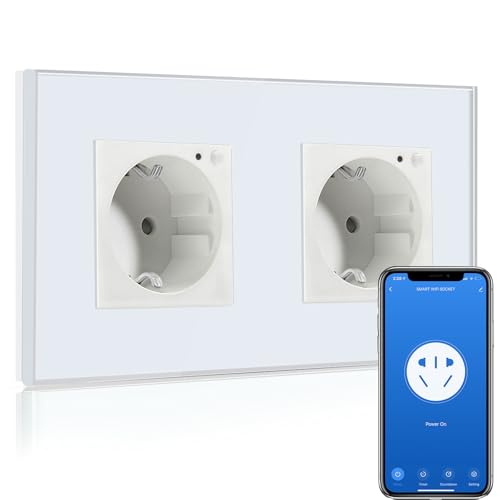
BSEED Wifi Smart Steckdose,arbeitet mit Amazon Alexa,Google Home,Timing-Funktion und APP-Steuerung,2 Fach Schuko Steckdose Weiß,Unterputz Glas Intelligente Wandsteckdose-auf NUR 2.4 GHz Netzwerk
Als Amazon-Partner erhalten wir bei qualifizierten Käufen eine Provision
Apps for Smart Socket Control
In your preferred app store (Google Play, Apple App Store, Amazon App Store), you'll find various apps designed for controlling smart sockets and other smart devices from different manufacturers. Most Wi-Fi sockets can be integrated into different apps, but not all of them. Some manufacturers offer their own app, and their devices may only be compatible with that specific app.
If you want to control Wi-Fi sockets from multiple manufacturers within a single app, it's crucial to research which apps are compatible with your chosen socket beforehand. If you use Amazon Alexa or Google Home Assistant, you can also control devices from various manufacturers through their respective apps. However, you'll need to ensure that your chosen socket is compatible with these services.
Here are some apps to consider:
Tuya Smart This app allows integration and control of devices from various manufacturers in one place. Download from Google Play Download from Apple App Store
Smart Life - Smart Living The Smart Life app also enables integration and management of devices from numerous manufacturers. Download from Google Play Download from Apple App Store
Gosund (includes NiteBird) The Gosund app, frequently featured in our tests, supports a wide range of devices for integration. We initially chose this app because it was recommended for the first Wi-Fi socket we tested, and it has proven to be reliable ever since. Download from Google Play Download from Apple App Store
TP-Link Tapo This smart home app is designed specifically for TP-Link Tapo devices and is used in our TP-Link socket tests. Download from Google Play Download from Apple App Store
Meross The Meross smart home app is tailored for Meross devices and is utilized in our Meross socket tests. Download from Google Play Download from Apple App Store
LEDVANCE SMART+ WiFi This smart home app is developed by LEDVANCE GmbH for smart home control. Download from Google Play Download from Apple App Store
Amazon Alexa App Amazon's app for the Alexa/Echo ecosystem includes voice control for various smart devices from different manufacturers. The connection is established through services. Download from Google Play Download from Apple App Store
Google Home Google Home serves as the counterpart to the Alexa app, specifically for the Google smart home ecosystem. Download from Google Play Download from Apple App Store
When selecting a smart socket and app for your needs, always consider compatibility and functionality. By choosing the right app and smart socket, you can optimize the control and efficiency of your smart home setup. Additionally, the integration of multiple devices within a single app will ensure a more streamlined user experience.
Smartphone App Features for Wi-Fi Smart Sockets
This article provides an overview of the possible features found in smartphone apps for Wi-Fi smart sockets. These features allow users to control and customize their smart sockets to fit their specific needs and preferences.
Power On/Off This essential feature is usually represented by a large button in the center of the screen, with smaller buttons on the detail view and overview page for each device. This button allows users to switch the smart socket on or off.
Schedules, Timers, and Countdowns Depending on the smart socket model, the app may offer various scheduling and timing features under labels like "Schedules," "Timers," or "Schedule." These options provide users with the ability to automate socket activity based on time or other parameters.
a. Schedule: This function enables users to create schedules for device actions. For example, a user can set a specific time for the smart socket to turn on or off, either as a one-time event or recurring on selected days of the week.
b. Countdown: A countdown or timer allows users to execute a specific action after a set amount of time. For instance, a user can program the smart socket to turn off after 20 minutes.
c. Circulate: The circulate feature alternates between turning the socket on and off within a specified time frame. Users set a start and end time for the cycle and choose whether the pattern repeats on specific days of the week. Additionally, users define the duration for both the on and off phases (e.g., 10 minutes on, 30 minutes off).
d. Presence Simulation: Also known as random or random switching, this feature randomly turns the smart socket on or off during a specified time period, either once or on selected days of the week. This functionality can simulate occupancy in a home while the residents are away, such as during a vacation.
e. Inching: This function automatically turns off the socket after a preset period. For example, if a fan is connected to a smart socket with a 10-minute inching setting, the socket will turn off after 10 minutes, regardless of whether it was activated manually or through voice control.
Settings (usually represented by a pencil icon in the top-right corner) Most smart socket models offer two types of settings: one accessed via the top-right pencil icon and another found in the bottom button bar.
a. Device Settings (accessible by clicking on the device name, icon, or pencil symbol next to the name): Users can customize the device icon, name, and location assignment (e.g., assigning the socket to a specific room). The settings also display device information such as virtual ID, IP address, MAC address, device timezone, and signal strength. Users can also enable offline notifications, group multiple devices together for joint control, and access FAQs and support resources.
b. General Settings (usually represented by a gear icon in the bottom button bar): These settings pertain to the smart socket's behavior. Options include viewing a log of socket activity, configuring relay status (socket behavior after a power outage or disconnection), customizing the light mode for the manual switch, enabling child lock, and accessing energy consumption data (if supported by the model).
By utilizing these features, users can optimize their smart socket usage and improve overall home automation. When selecting a Wi-Fi smart socket and its corresponding app, it is crucial to research compatibility and available features to ensure an optimal user experience. A well-integrated smart socket setup contributes to a more efficient and streamlined smart home environment.
The product from our review (or similar)
Tapo P110 V1 - Smart plug - mini - wireless - 802.11b/g/n - 2.4 Ghz (pack of 4)

Als Amazon-Partner erhalten wir bei qualifizierten Käufen eine Provision
FAQ - Häufig gestellte Fragen
Do Smart Sockets Consume a Lot of Energy?
Contrary to popular belief, Wi-Fi smart sockets do not consume excessive amounts of energy. Although they require some power to function, their energy consumption is relatively low. Testing has shown that most smart socket models have a maximum power consumption of around 1 watt or less.
To better understand the energy consumption of smart sockets, let's examine a few examples:
With an average power consumption of 1 watt and non-stop operation, the daily cost would be approximately $0.007, monthly cost at $0.22, and yearly cost around $2.63, assuming an electricity rate of 30 cents per kWh.
With a daily consumption of 0.012 kWh, the daily cost would be about $0.012, monthly cost at $0.37, and yearly cost around $4.38, assuming an electricity rate of 30 cents per kWh.
With a daily consumption of 0.002 kWh, the daily cost would be approximately $0.002, monthly cost at $0.07, and yearly cost around $0.88, assuming an electricity rate of 30 cents per kWh.
While these costs are not negligible, they should be weighed against the potential energy savings provided by smart sockets. If a connected device does not have any standby power consumption, it may be worth reconsidering the use of a smart socket. However, for devices with more than 1 watt of standby power consumption, using a smart socket can quickly become cost-effective.
By utilizing Wi-Fi smart sockets, users can reduce energy consumption by controlling and monitoring their devices more effectively. Smart sockets can automatically turn off devices after a predetermined period or based on a schedule, preventing unnecessary energy usage. Additionally, some smart sockets offer energy monitoring features that provide users with valuable insights into their devices' power consumption patterns.
When choosing a Wi-Fi smart socket, it is essential to consider factors such as compatibility, energy consumption, and available features. A well-selected smart socket can contribute to a more energy-efficient and streamlined smart home environment, potentially offsetting its own minimal power consumption.
In summary, while Wi-Fi smart sockets do consume some energy, their benefits in terms of energy savings, convenience, and home automation can far outweigh their modest power consumption. By selecting the right smart socket and using it effectively, users can optimize their energy usage and contribute to a more sustainable, eco-friendly lifestyle.